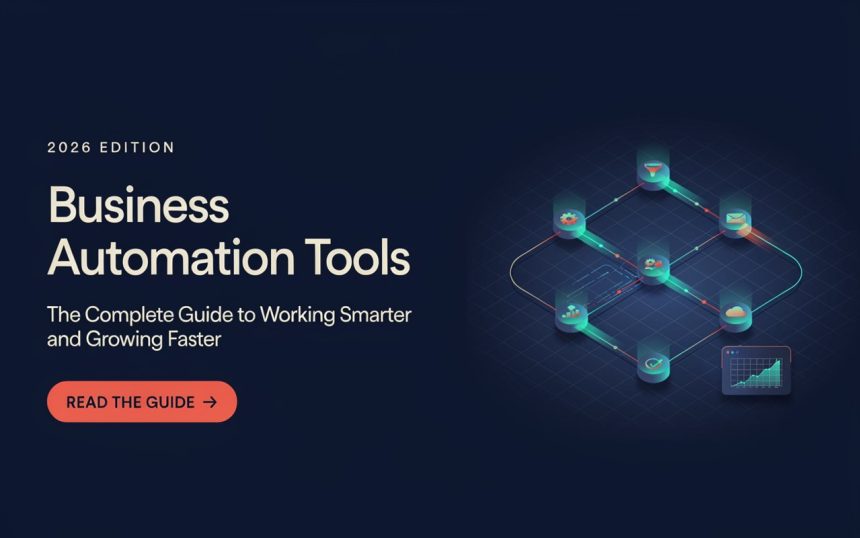
Running a business often feels like spinning dozens of plates at the same time. One moment you’re replying to customer emails, the next you’re tracking sales, sending invoices, updating social media, or managing employees. It can quickly become overwhelming. But what if many of these repetitive tasks could take care of themselves?
That is exactly where Business Automation Tools come in. They help companies save time, reduce mistakes, improve productivity, and allow people to focus on work that truly matters. Whether you own a small startup, manage a growing company, or work as a freelancer, automation can transform the way you operate.
Think of automation as having a reliable digital assistant who never gets tired, never forgets a task, and works around the clock. Instead of replacing human creativity, it supports it by handling repetitive work behind the scenes.
In this guide, you’ll discover how automation works, why it matters, where it can be applied, and how businesses of every size can benefit from adopting the right solutions.
What Are Business Automation Tools?
Business automation tools are software applications designed to complete repetitive tasks with little or no manual effort. They use predefined rules, workflows, and integrations to perform routine activities automatically.
Instead of completing the same task hundreds of times, you create a process once, and the software follows those instructions whenever the required conditions are met.
For example:
- Sending welcome emails to new customers
- Generating invoices automatically
- Updating customer records
- Scheduling social media posts
- Tracking employee attendance
- Managing project deadlines
Automation reduces manual work while increasing consistency and accuracy.
How Automation Works
Most automation platforms operate using a simple workflow:
- A trigger happens.
- The software recognizes the event.
- It performs one or more actions.
- The process finishes without human intervention.
For instance, when someone fills out a contact form, the system can automatically:
- Save the lead
- Send a thank-you email
- Notify the sales team
- Create a follow-up reminder
Everything happens within seconds.
Why Businesses Are Investing in Automation
Automation is no longer reserved for large corporations. Thanks to cloud technology and affordable software, even small businesses can automate everyday operations.
Save Valuable Time
Many businesses spend hours every week performing repetitive administrative work.
Automation removes tasks like:
- Copying information
- Sending reminders
- Updating spreadsheets
- Organizing customer records
- Creating reports
The saved hours can be invested in planning, innovation, customer relationships, or expanding the business.
Reduce Human Errors
Manual work naturally leads to mistakes.
Examples include:
- Wrong customer information
- Duplicate entries
- Missing deadlines
- Incorrect invoices
Automation follows predefined rules every time, making processes more reliable.
Increase Productivity
Employees become more productive when they spend less time on repetitive work.
Instead of entering data all day, they can focus on:
- Solving customer problems
- Creating marketing campaigns
- Developing products
- Building partnerships
Improve Customer Experience
Customers expect quick responses.
Automation helps businesses provide:
- Instant confirmations
- Faster replies
- Timely notifications
- Personalized communication
Happy customers are more likely to become loyal customers.
Key Areas Where Automation Makes the Biggest Difference
Almost every department can benefit from automation.
Marketing
Marketing teams automate repetitive promotional tasks.
Common examples include:
- Email campaigns
- Lead nurturing
- Customer segmentation
- Campaign scheduling
- Analytics reporting
Instead of manually sending hundreds of emails, marketers can schedule personalized sequences that reach customers at the right time.
Sales
Sales automation keeps track of prospects without constant manual updates.
Popular tasks include:
- Lead scoring
- Contact management
- Follow-up reminders
- Proposal generation
- Sales reporting
This helps sales representatives spend more time closing deals instead of organizing data.
Customer Support
Support teams often receive similar questions every day.
Automation can handle:
- Frequently asked questions
- Ticket assignment
- Status updates
- Live chat responses
- Feedback collection
Customers receive faster answers while support agents focus on complex issues.
Finance
Accounting departments rely heavily on repetitive processes.
Automation simplifies:
- Invoice creation
- Expense tracking
- Payment reminders
- Payroll processing
- Financial reporting
The result is improved accuracy and reduced administrative workload.
Human Resources
HR professionals manage many routine administrative tasks.
Automation helps with:
- Recruitment workflows
- Employee onboarding
- Attendance management
- Leave requests
- Performance reviews
New employees enjoy a smoother experience while HR teams save valuable time.
Different Types of Business Automation Tools
Automation software comes in many forms because every business has different needs.
Customer Relationship Management (CRM)
CRM systems organize customer interactions.
Typical features include:
- Contact management
- Sales pipelines
- Communication history
- Lead tracking
- Automated reminders
This ensures every customer receives timely attention.
Project Management Platforms
Project management software automates team collaboration.
Capabilities include:
- Task assignments
- Deadline notifications
- Progress tracking
- Team communication
- Workflow management
Everyone stays informed without constant meetings.
Email Marketing Software
Instead of manually sending newsletters, email platforms automate campaigns based on customer behavior.
Examples include:
- Welcome sequences
- Promotional emails
- Birthday messages
- Cart reminders
- Product recommendations
Each customer receives relevant communication automatically.
Accounting Software
Modern accounting systems automate financial management.
Features often include:
- Invoice generation
- Tax calculations
- Payment tracking
- Expense categorization
- Profit reports
This reduces paperwork and improves financial visibility.
Workflow Automation Platforms
These platforms connect multiple applications together.
For example:
When an order is placed:
- Inventory updates automatically.
- The customer receives confirmation.
- Shipping begins.
- Finance records the transaction.
- Management receives a report.
Instead of switching between several systems, everything happens through one connected workflow.
Choosing the Right Business Automation Tools
The market is full of automation software, each promising to make your work easier. However, the “best” solution depends on your business goals, team size, budget, and daily workflows. Rather than chasing the newest platform, focus on solving your biggest challenges first.
Before investing in any software, ask yourself:
- Which tasks consume the most time?
- Where do mistakes happen most often?
- Which processes slow down customers or employees?
- Can one platform solve multiple problems?
- Will the software grow with my business?
Answering these questions helps you choose tools that deliver real value instead of adding unnecessary complexity.
Start With Your Biggest Pain Points
Many businesses try to automate everything at once. That usually creates confusion.
Instead, identify repetitive tasks such as:
- Manual data entry
- Sending follow-up emails
- Scheduling appointments
- Creating invoices
- Updating customer information
Automating one high-impact process first makes adoption easier and allows your team to see quick results.
Look for Easy Integration
Businesses rarely rely on just one application. Your accounting software, CRM, email platform, and project management system should work together.
A good automation solution integrates with your existing tools so information flows automatically between them. This eliminates duplicate work and keeps everyone working with the same up-to-date data.
Choose User-Friendly Software
Powerful features mean little if employees struggle to use them.
Look for software that offers:
- A clean interface
- Drag-and-drop workflow builders
- Helpful tutorials
- Strong customer support
- Mobile accessibility
The easier the platform is to learn, the faster your team can begin benefiting from automation.
Think About Future Growth
Your needs today may look very different in two or three years.
Choose software that can scale by supporting:
- More employees
- Additional customers
- Larger databases
- Advanced reporting
- New integrations
Investing in scalable technology helps you avoid switching platforms as your business expands.
How Artificial Intelligence Is Transforming Automation
Automation has evolved significantly over the past few years. Traditional systems followed fixed rules, but modern solutions increasingly use artificial intelligence (AI) to make smarter decisions.
Rather than simply repeating tasks, AI-powered systems can analyze information, recognize patterns, and improve outcomes over time.
Smarter Customer Support
AI-powered chatbots can answer common questions, recommend products, and direct customers to the right department. They are available 24/7, reducing response times while allowing support teams to focus on more complex conversations.
Better Data Analysis
Businesses generate enormous amounts of information every day. AI tools can organize this data, identify trends, and create reports much faster than manual analysis.
For example, AI can help businesses:
- Predict future sales
- Identify customer preferences
- Detect unusual spending
- Recommend inventory levels
- Highlight performance trends
This enables leaders to make informed decisions based on real insights rather than guesswork.
Improved Personalization
Customers appreciate experiences that feel relevant to them.
Modern automation platforms can personalize:
- Product recommendations
- Email campaigns
- Website content
- Promotional offers
- Customer follow-ups
Instead of sending identical messages to everyone, businesses can communicate based on customer behavior and interests.
Predictive Decision-Making
AI can also forecast future outcomes by studying historical data.
Businesses use predictive automation to:
- Estimate demand
- Reduce inventory shortages
- Improve staffing schedules
- Identify high-value customers
- Anticipate maintenance needs
These predictions help organizations stay proactive instead of constantly reacting to problems.
Common Mistakes to Avoid When Automating Your Business
Automation offers tremendous benefits, but poor planning can lead to frustration and wasted resources.
Understanding common mistakes can help you avoid expensive setbacks.
Trying to Automate Everything at Once
One of the biggest mistakes is attempting to automate every department simultaneously.
A better approach is to begin with one or two repetitive processes, test the results, gather feedback, and gradually expand your automation strategy.
Small successes build confidence and make future implementations smoother.
Ignoring Employee Training
Even the most advanced software requires people to understand how it works.
Provide training that covers:
- Daily workflows
- Troubleshooting
- Best practices
- Security guidelines
- Reporting features
When employees feel comfortable using automation tools, adoption becomes much easier.
Overcomplicating Workflows
Automation should simplify work—not create unnecessary steps.
Avoid building workflows that include dozens of conditions unless they are truly needed. Simpler processes are easier to manage, update, and troubleshoot.
Neglecting Data Quality
Automation depends on accurate information.
If customer records contain errors or duplicate entries, automation will simply process incorrect data faster.
Regularly clean your databases to ensure reliable results.
Forgetting Human Oversight
Automation is a powerful assistant, but it should not replace human judgment entirely.
People are still needed for:
- Strategic decisions
- Customer relationships
- Creative problem-solving
- Quality assurance
- Ethical considerations
The strongest businesses combine intelligent software with experienced professionals.
Why Small Businesses Benefit the Most
Many people believe automation is only useful for large corporations. In reality, smaller businesses often experience the greatest improvements because every saved hour has a noticeable impact.
Lower Operating Costs
Automation reduces the need for repetitive manual work, allowing businesses to accomplish more without significantly increasing payroll expenses.
Compete With Larger Companies
Small businesses can deliver fast responses, professional communication, and efficient customer service using automation, helping them compete with much larger organizations.
Support Business Growth
As customer numbers increase, automation handles a larger workload without requiring proportional increases in staff.
This makes growth more sustainable.
Improve Customer Satisfaction
Quick confirmations, timely updates, and consistent communication build trust and encourage repeat business.
Satisfied customers often become loyal advocates who recommend your business to others.
Future Trends in Business Automation
Automation technology continues to evolve, offering exciting opportunities for businesses of every size.
Several trends are shaping the future of work.
Hyperautomation
Rather than automating isolated tasks, businesses are connecting entire departments into seamless digital workflows. Finance, marketing, HR, sales, and operations can all share information automatically.
No-Code and Low-Code Platforms
Modern automation tools increasingly allow users to build workflows through visual interfaces instead of writing code.
This makes automation accessible even to people without technical backgrounds.
Intelligent Document Processing
Advanced systems can now extract information from invoices, contracts, receipts, and forms with remarkable accuracy, reducing manual document handling.
Voice-Controlled Automation
Voice assistants are becoming capable of triggering workflows, generating reports, scheduling meetings, and retrieving information using simple spoken commands.
Greater Focus on Security
As automation handles more sensitive business information, software providers continue investing in stronger encryption, access controls, and compliance features to protect valuable data.
Best Practices for Successfully Implementing Business Automation
Adopting automation is not simply about installing software. It requires careful planning, clear goals, and continuous improvement. Businesses that approach automation strategically often see better results than those that automate without a roadmap.
Start with a Process Audit
Before introducing any automation tool, take time to understand your existing workflows. Document each step involved in completing routine tasks and identify areas that consume unnecessary time or frequently lead to errors.
Ask questions such as:
- Which tasks are repeated every day?
- Where do delays usually occur?
- Which processes require excessive manual effort?
- What activities provide the least value but consume the most time?
Once you understand your current workflow, you’ll know exactly where automation can have the greatest impact.
Set Clear Goals
Every automation project should have measurable objectives.
Examples include:
- Reduce customer response time by 50%
- Process invoices twice as fast
- Cut manual data entry by 80%
- Increase employee productivity
- Improve customer satisfaction ratings
Having clear goals makes it easier to evaluate whether the implementation is successful.
Introduce Automation Gradually
Rolling out multiple automated systems simultaneously can overwhelm employees. Instead, launch one workflow at a time.
For example:
- Automate customer inquiries.
- Introduce invoice automation.
- Connect accounting software.
- Automate marketing campaigns.
- Expand into HR and project management.
A gradual approach minimizes disruption and gives teams time to adapt.
Monitor Performance Regularly
Automation is not a “set it and forget it” solution. Business needs change, customer expectations evolve, and processes should be reviewed regularly.
Monitor:
- Workflow completion rates
- Error frequency
- Customer feedback
- Employee satisfaction
- System performance
Small adjustments over time can significantly improve efficiency.
How to Measure the Success of Automation
After implementing automation, it’s important to determine whether it is delivering real business value.
Here are several key performance indicators (KPIs) that organizations commonly track.
Time Saved
One of the most noticeable benefits is the reduction in time spent on repetitive tasks.
Compare:
- Time before automation
- Time after automation
Even saving a few minutes per task can translate into hundreds of hours each year.
Cost Savings
Automation often lowers operational expenses by reducing manual work, minimizing errors, and streamlining processes.
Track improvements in:
- Labor costs
- Administrative expenses
- Printing and paperwork
- Error correction
- Overtime hours
Employee Productivity
When repetitive work decreases, employees can dedicate more energy to creative thinking, customer service, and strategic planning.
Measure:
- Projects completed
- Customer interactions
- Sales activities
- Team output
Customer Satisfaction
Happy customers are a strong indicator that automation is working effectively.
Useful metrics include:
- Response times
- Customer reviews
- Retention rates
- Repeat purchases
- Support resolution times
Return on Investment (ROI)
Every automation project should eventually produce measurable financial benefits.
Calculate:
- Total software investment
- Implementation costs
- Annual savings
- Revenue growth
A positive ROI demonstrates that automation contributes directly to business success.
Challenges Businesses May Face
Although automation offers many advantages, implementation is rarely without obstacles.
Understanding these challenges helps organizations prepare realistic solutions.
Resistance to Change
Employees may worry that automation will replace their jobs. Clear communication is essential. Explain that automation is designed to remove repetitive work so employees can focus on higher-value responsibilities rather than replace them.
Initial Investment
Some automation platforms require subscription fees, setup costs, or staff training. While these expenses may seem significant at first, long-term savings often outweigh the initial investment.
System Integration
Older software may not integrate smoothly with modern automation platforms. Businesses should evaluate compatibility before selecting new tools and consider phased upgrades where necessary.
Data Security
Automated systems often process sensitive customer and financial information. Strong passwords, multi-factor authentication, regular backups, and access controls are essential for protecting business data.
By anticipating these challenges, organizations can build a more successful automation strategy.
The Future of Business Automation
Technology continues to evolve rapidly, and automation is becoming smarter, faster, and more accessible.
In the coming years, businesses can expect:
- More AI-powered decision-making
- Greater use of predictive analytics
- Smarter virtual assistants
- Increased robotic process automation (RPA)
- Improved cybersecurity features
- Better collaboration between different software platforms
- Personalized customer experiences based on real-time data
Rather than replacing people, future automation will increasingly act as an intelligent partner that supports employees in making better decisions and delivering higher-quality work.
Businesses that embrace these innovations early will likely enjoy stronger productivity, improved customer relationships, and a competitive advantage in their industries.
Final Thoughts
Business automation is no longer a luxury reserved for large enterprises—it has become an essential strategy for organizations of every size. By automating repetitive tasks, businesses can save valuable time, reduce costly mistakes, improve productivity, and deliver a better customer experience.
The journey doesn’t begin with automating everything at once. It starts with identifying one repetitive process, choosing the right tool, and gradually expanding as confidence grows. Like building a strong foundation before constructing a house, successful automation is created step by step.
Whether you’re running a small startup, managing an online store, leading a growing company, or working independently, automation allows you to spend less time on routine work and more time on innovation, strategy, and meaningful customer relationships.
The businesses that thrive in the future won’t necessarily be the largest—they’ll be the ones that work the smartest.
Conclusion
Business automation tools have fundamentally changed how modern organizations operate. From marketing and finance to customer service and human resources, automation enables businesses to complete repetitive tasks with greater speed, accuracy, and consistency. It empowers teams to focus on creativity, problem-solving, and growth while software handles routine operations behind the scenes.
As technology continues to advance, automation will become even more intelligent, accessible, and integrated into everyday business activities. Organizations that adopt automation thoughtfully, train their teams effectively, and continuously optimize their workflows will be better positioned to improve efficiency, reduce costs, and stay competitive in an increasingly digital world. Investing in automation today is not just about saving time—it’s about preparing your business for long-term success.
Frequently Asked Questions (FAQs)
1. What are business automation tools?
Business automation tools are software solutions that automate repetitive tasks such as email marketing, invoicing, customer management, scheduling, reporting, and workflow management. They help businesses improve efficiency while reducing manual effort.
2. Why are business automation tools important for small businesses?
Small businesses benefit from automation because it saves time, reduces operating costs, minimizes errors, improves customer service, and allows small teams to accomplish more without significantly increasing staffing requirements.
3. Which business processes can be automated?
Many routine operations can be automated, including customer support, sales follow-ups, marketing campaigns, payroll, accounting, inventory management, employee onboarding, appointment scheduling, document management, and reporting.
4. Can automation replace employees completely?
No. Automation is designed to handle repetitive and rule-based tasks, while employees continue to provide creativity, strategic thinking, relationship building, and complex decision-making. The most successful businesses combine technology with human expertise.
5. How do I choose the right business automation tool?
Start by identifying your biggest operational challenges, define clear business goals, choose software that integrates with your existing systems, is easy to use, offers reliable support, and can scale as your business grows. Selecting tools based on your specific needs will deliver the best long-term results.