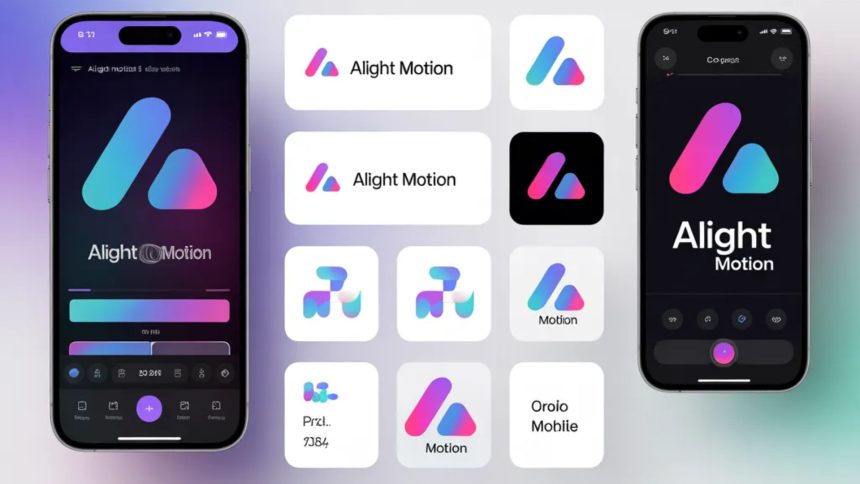
Have you ever watched a slick mobile edit and wondered, “How do people make their videos look so professional?” Chances are, tools like Alight Motion played a role—and more importantly, the clever use of branding assets like PNG files.
If you’re new to this world, don’t worry. Think of branding assets as the “outfit” your content wears. Just like the right clothes can make someone stand out, the right visual elements can transform your videos from basic to eye-catching.
In this article, we’ll explore everything you need to know about Alight Motion branding assets in PNG format—what they are, why they matter, and how you can use them effectively.
What Is Alight Motion?
Before diving deeper, let’s get the basics out of the way.
Alight Motion is a mobile video editing and motion graphics app that allows users to create animations, visual effects, and professional-level edits—all from their phone. It’s especially popular among content creators, social media editors, and beginners stepping into motion design.
It’s like having a mini design studio in your pocket.
Understanding Branding Assets
What Are Branding Assets?
Branding assets are visual elements that represent a brand or identity. These include:
- Logos
- Icons
- Watermarks
- Intro/outro graphics
- Stickers and overlays
These elements help your content look consistent and recognizable.
Why They Matter
Imagine watching a YouTube channel where every video looks completely different. Confusing, right?
Branding assets create a sense of familiarity. They help your audience instantly recognize your style—even before they see your name.
Why PNG Format Is So Popular
Transparent Background Advantage
PNG files are widely used because they support transparent backgrounds. This means you can place your logo or graphic anywhere without a messy white box around it.
It’s like cutting out a sticker perfectly—you only see the design, not the edges.
High Quality Without Compromise
PNG files maintain high image quality, even after editing. This is crucial when you’re working with detailed graphics or logos.
Types of Alight Motion PNG Assets
Logos
Logos are the face of your identity. Whether it’s a personal brand or a business, a clean PNG logo can be placed seamlessly into your edits.
Overlays
These include light leaks, particles, smoke effects, and textures. They add depth and drama to your visuals.
Watermarks
Watermarks protect your work and subtly promote your identity. Many creators add them to prevent content theft.
Icons and Graphics
Social media icons, arrows, and symbols help guide viewers’ attention and improve engagement.
How to Use PNG Assets in Alight Motion
Step-by-Step Process
Using PNG assets in Alight Motion is surprisingly simple:
- Open your project
- Tap the “+” button to add media
- Import your PNG file
- Adjust size, position, and timing
- Apply animations or effects
That’s it! Within seconds, your project becomes more dynamic.
Layering for Better Results
One powerful feature is layering. You can stack multiple PNG elements to create complex visuals. For example:
- Background video
- Overlay effect
- Logo on top
This layering gives your project a professional touch.
Where to Find PNG Branding Assets
Free Resources
There are plenty of websites offering free PNG assets. These are great for beginners who don’t want to spend money.
However, always check usage rights.
Premium Platforms
Paid platforms offer higher-quality designs and exclusive content. If you’re serious about content creation, investing in premium assets can make a big difference.
Custom vs Ready-Made Assets
Ready-Made Assets
These are pre-designed and easy to use. Perfect for beginners who want quick results.
Custom Assets
Custom assets are designed specifically for you. They help you stand out and build a unique identity.
Think of it like wearing a tailored suit versus off-the-rack clothing—both work, but one fits perfectly.
Tips for Effective Branding
Keep It Consistent
Use the same colors, fonts, and style across all your projects. Consistency builds recognition.
Don’t Overcrowd
Too many elements can make your video look messy. Use assets wisely.
Focus on Placement
Where you place your logo or overlay matters. Keep it visible but not distracting.
Common Mistakes to Avoid
Using Low-Quality Images
Blurry or pixelated assets can ruin your entire project.
Ignoring Transparency
Using non-transparent images can create awkward backgrounds.
Overusing Effects
Too many overlays and animations can overwhelm viewers.
How PNG Assets Improve Engagement
Visual appeal plays a huge role in keeping viewers hooked.
When your content looks polished:
- People watch longer
- Engagement increases
- Your work appears more professional
It’s similar to walking into a well-decorated room—you instantly feel more interested.
The Role of Creativity
Tools and assets are just the beginning. Creativity is what truly makes your content shine.
Experiment with:
- Animations
- Transitions
- Color combinations
Don’t be afraid to try new things. Sometimes the best ideas come from unexpected experiments.
Future Trends in Mobile Editing
Mobile editing is evolving fast. Features are becoming more advanced, and users are pushing creative boundaries.
We’re seeing trends like:
- Minimalist design
- Smooth motion graphics
- Personalized branding
PNG assets will continue to play a key role in shaping these trends.
Conclusion
At the end of the day, using PNG branding assets in Alight Motion is about more than just decoration—it’s about identity.
Whether you’re editing for fun or building a personal brand, these small visual elements can make a huge difference. They help your content stand out, look professional, and connect with your audience.
So next time you open Alight Motion, don’t just edit—design with purpose.
FAQs
1. What are PNG branding assets in Alight Motion?
PNG branding assets are visual elements like logos, overlays, and icons with transparent backgrounds that can be added to your projects for better design and identity.
2. Why is PNG better than JPEG for editing?
PNG supports transparency and maintains higher quality, making it ideal for overlays and logos.
3. Can beginners use PNG assets easily?
Yes, Alight Motion makes it simple to import and use PNG files, even for beginners.
4. Are free PNG assets safe to use?
Most are safe, but you should always check licensing terms to avoid copyright issues.
5. How do I make my own PNG branding assets?
You can create them using design tools like graphic apps or hire a designer to make custom assets tailored to your style.
Have you ever watched a slick mobile edit and wondered, “How do people make their videos look so professional?” Chances are, tools like Alight Motion played a role—and more importantly, the clever use of branding assets like PNG files.
If you’re new to this world, don’t worry. Think of branding assets as the “outfit” your content wears. Just like the right clothes can make someone stand out, the right visual elements can transform your videos from basic to eye-catching.
In this article, we’ll explore everything you need to know about Alight Motion branding assets in PNG format—what they are, why they matter, and how you can use them effectively.
What Is Alight Motion?
Before diving deeper, let’s get the basics out of the way.
Alight Motion is a mobile video editing and motion graphics app that allows users to create animations, visual effects, and professional-level edits—all from their phone. It’s especially popular among content creators, social media editors, and beginners stepping into motion design.
It’s like having a mini design studio in your pocket.
Understanding Branding Assets
What Are Branding Assets?
Branding assets are visual elements that represent a brand or identity. These include:
- Logos
- Icons
- Watermarks
- Intro/outro graphics
- Stickers and overlays
These elements help your content look consistent and recognizable.
Why They Matter
Imagine watching a YouTube channel where every video looks completely different. Confusing, right?
Branding assets create a sense of familiarity. They help your audience instantly recognize your style—even before they see your name.
Why PNG Format Is So Popular
Transparent Background Advantage
PNG files are widely used because they support transparent backgrounds. This means you can place your logo or graphic anywhere without a messy white box around it.
It’s like cutting out a sticker perfectly—you only see the design, not the edges.
High Quality Without Compromise
PNG files maintain high image quality, even after editing. This is crucial when you’re working with detailed graphics or logos.
Types of Alight Motion PNG Assets
Logos
Logos are the face of your identity. Whether it’s a personal brand or a business, a clean PNG logo can be placed seamlessly into your edits.
Overlays
These include light leaks, particles, smoke effects, and textures. They add depth and drama to your visuals.
Watermarks
Watermarks protect your work and subtly promote your identity. Many creators add them to prevent content theft.
Icons and Graphics
Social media icons, arrows, and symbols help guide viewers’ attention and improve engagement.
How to Use PNG Assets in Alight Motion
Step-by-Step Process
Using PNG assets in Alight Motion is surprisingly simple:
- Open your project
- Tap the “+” button to add media
- Import your PNG file
- Adjust size, position, and timing
- Apply animations or effects
That’s it! Within seconds, your project becomes more dynamic.
Layering for Better Results
One powerful feature is layering. You can stack multiple PNG elements to create complex visuals. For example:
- Background video
- Overlay effect
- Logo on top
This layering gives your project a professional touch.
Where to Find PNG Branding Assets
Free Resources
There are plenty of websites offering free PNG assets. These are great for beginners who don’t want to spend money.
However, always check usage rights.
Premium Platforms
Paid platforms offer higher-quality designs and exclusive content. If you’re serious about content creation, investing in premium assets can make a big difference.
Custom vs Ready-Made Assets
Ready-Made Assets
These are pre-designed and easy to use. Perfect for beginners who want quick results.
Custom Assets
Custom assets are designed specifically for you. They help you stand out and build a unique identity.
Think of it like wearing a tailored suit versus off-the-rack clothing—both work, but one fits perfectly.
Tips for Effective Branding
Keep It Consistent
Use the same colors, fonts, and style across all your projects. Consistency builds recognition.
Don’t Overcrowd
Too many elements can make your video look messy. Use assets wisely.
Focus on Placement
Where you place your logo or overlay matters. Keep it visible but not distracting.
Common Mistakes to Avoid
Using Low-Quality Images
Blurry or pixelated assets can ruin your entire project.
Ignoring Transparency
Using non-transparent images can create awkward backgrounds.
Overusing Effects
Too many overlays and animations can overwhelm viewers.
How PNG Assets Improve Engagement
Visual appeal plays a huge role in keeping viewers hooked.
When your content looks polished:
- People watch longer
- Engagement increases
- Your work appears more professional
It’s similar to walking into a well-decorated room—you instantly feel more interested.
The Role of Creativity
Tools and assets are just the beginning. Creativity is what truly makes your content shine.
Experiment with:
- Animations
- Transitions
- Color combinations
Don’t be afraid to try new things. Sometimes the best ideas come from unexpected experiments.
Future Trends in Mobile Editing
Mobile editing is evolving fast. Features are becoming more advanced, and users are pushing creative boundaries.
We’re seeing trends like:
- Minimalist design
- Smooth motion graphics
- Personalized branding
PNG assets will continue to play a key role in shaping these trends.
Conclusion
At the end of the day, using PNG branding assets in Alight Motion is about more than just decoration—it’s about identity.
Whether you’re editing for fun or building a personal brand, these small visual elements can make a huge difference. They help your content stand out, look professional, and connect with your audience.
So next time you open Alight Motion, don’t just edit—design with purpose.
FAQs
1. What are PNG branding assets in Alight Motion?
PNG branding assets are visual elements like logos, overlays, and icons with transparent backgrounds that can be added to your projects for better design and identity.
2. Why is PNG better than JPEG for editing?
PNG supports transparency and maintains higher quality, making it ideal for overlays and logos.
3. Can beginners use PNG assets easily?
Yes, Alight Motion makes it simple to import and use PNG files, even for beginners.
4. Are free PNG assets safe to use?
Most are safe, but you should always check licensing terms to avoid copyright issues.
5. How do I make my own PNG branding assets?
You can create them using design tools like graphic apps or hire a designer to make custom assets tailored to your style.